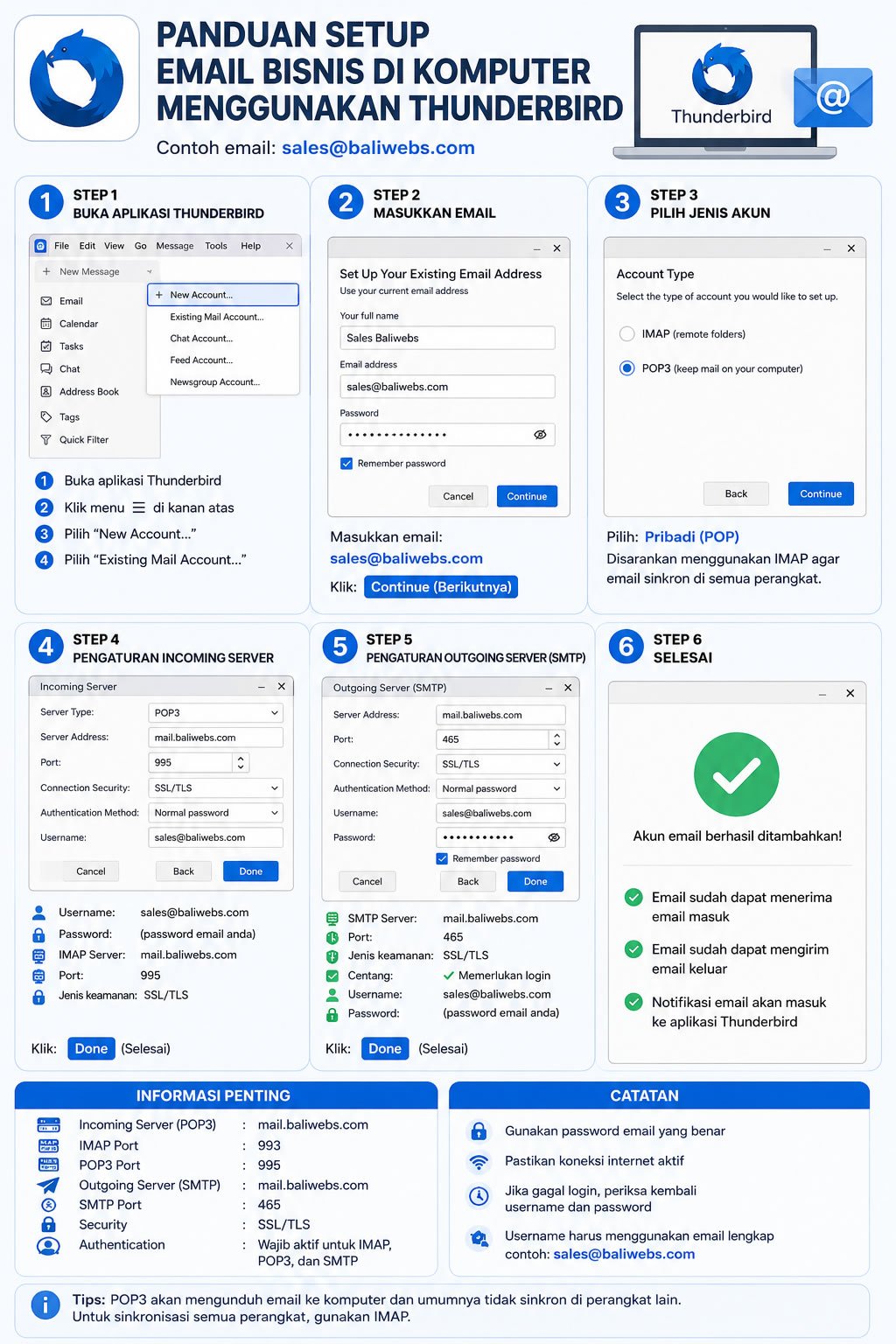
We provide a tutorial for setting up email using the Thunderbird Email Client application, which can be downloaded from the following link:
https://www.thunderbird.net/en-US/desktop
Please note that this tutorial only uses a sample email account.
The following email configurations:
- Username:
- yourname@yourdomain.com
- Password: *********
Incoming Server:
- IMAP Port: 993
- POP3 Port: 995
Outgoing Server:
- mail.yourdomain.com
- SMTP Port: 465
must be adjusted according to the email configuration details provided by your webmaster or hosting company.
If you experience any issues during the email setup process, please contact your webmaster or hosting technical support for assistance.